

Revolutionizing Your Desktop: Microsoft’s Latest Experiment with Copilot AI
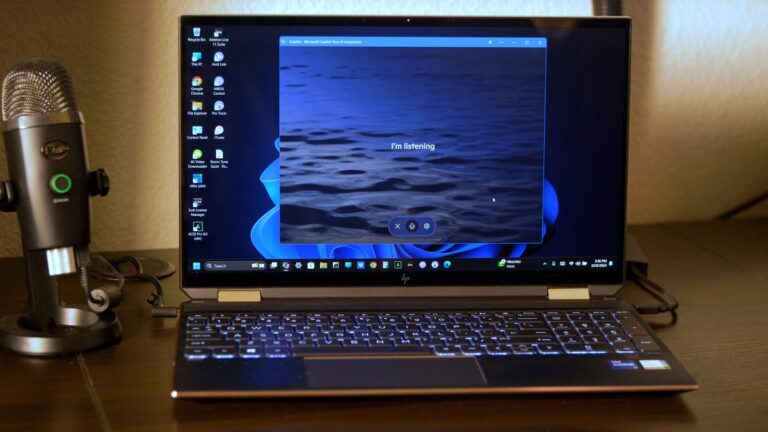
Technology is constantly evolving, and one of the areas that has seen significant advancements in recent years is artificial intelligence (AI). From virtual assistants to self-driving cars, AI is becoming increasingly integrated into our daily lives. And now, Microsoft is taking things a step further with its latest experiment – allowing its AI, known as Copilot, to interact with your entire desktop.
The idea behind Copilot is to create a more efficient and seamless experience for users. Instead of having to switch between different programs and applications, Copilot acts as a virtual assistant that can perform multiple tasks simultaneously. This has the potential to revolutionize the way we work and use our computers.
But how does Copilot work, and what are its potential benefits and drawbacks? Let’s take a closer look at this latest experiment from Microsoft.
What is Copilot?
Copilot is an AI-powered virtual assistant developed by Microsoft. It is designed to work alongside users in real-time, providing suggestions and assistance as they work on their computer. Copilot is currently being tested on Windows 10, and it is still in the early stages of development.
How does it work?
Unlike other virtual assistants that require voice commands, Copilot operates through a text-based interface. Users can interact with Copilot by typing in natural language, similar to how we would communicate with a human assistant. This allows for a more intuitive and seamless experience.
Copilot is also capable of understanding context and the user’s intent. For example, if a user is working on a spreadsheet and types “calculate,” Copilot will understand that the user wants to perform a calculation and will provide suggestions accordingly.
One of the most impressive capabilities of Copilot is its ability to multitask. It can perform multiple tasks simultaneously, such as opening files, sending emails, and creating appointments, without interrupting the user’s workflow. This has the potential to save users a significant amount of time and increase productivity.
What are the benefits?
The potential benefits of Copilot are numerous. By having an AI assistant that can handle various tasks at once, users can focus on more critical tasks without getting distracted. This can be particularly useful for professionals who have to juggle multiple projects at once.
Additionally, Copilot can also learn from the user’s behavior and preferences. Over time, it can anticipate the user’s needs and provide personalized suggestions. This can further enhance productivity and efficiency.
Furthermore, Copilot has the potential to make technology more accessible to all users. People with disabilities or those who may have difficulty using a traditional computer interface can benefit greatly from Copilot’s text-based interface. It can level the playing field and allow everyone to use technology effectively.
What are the drawbacks?
While Copilot has the potential to revolutionize the way we work and interact with our computers, there are also some potential drawbacks to consider.
One concern is the potential for privacy breaches. As Copilot operates on the desktop and has access to various files and information, there is a risk that sensitive data could be compromised. Microsoft has stated that they will prioritize security and privacy in the development of Copilot, but it is still something to keep in mind.
Another potential issue is the reliance on AI. As with any technology, there is always the possibility of errors and glitches. In the case of Copilot, this could result in incorrect suggestions or actions, which could be problematic for users.
The Future of Copilot
Despite the potential drawbacks, the future looks bright for Copilot. As Microsoft continues to develop and refine this AI, it has the potential to become an indispensable tool for professionals and individuals alike.
In its current state, Copilot is being tested by a limited number of users, and it is not yet available to the public. However, if the testing phase is successful, we can expect to see Copilot integrated into future versions of Windows.
The potential for Copilot goes beyond just desktop use. Microsoft has stated that it could also be integrated into other devices and platforms, such as smartphones and tablets.
Final Thoughts
Microsoft’s latest experiment with Copilot AI has the potential to revolutionize the way we work and interact with our computers. With its multitasking capabilities and personalized suggestions, it has the potential to save users time and increase productivity. However, it is essential to consider the potential drawbacks and ensure that privacy and security are prioritized in its development.
As technology continues to advance, we can expect to see more and more integrations of AI in our daily lives. And with Copilot, Microsoft is taking a significant step towards a more efficient and seamless future. So, get ready to revolutionize your desktop experience with Microsoft’s Copilot AI.
Referência:
Clique aqui
